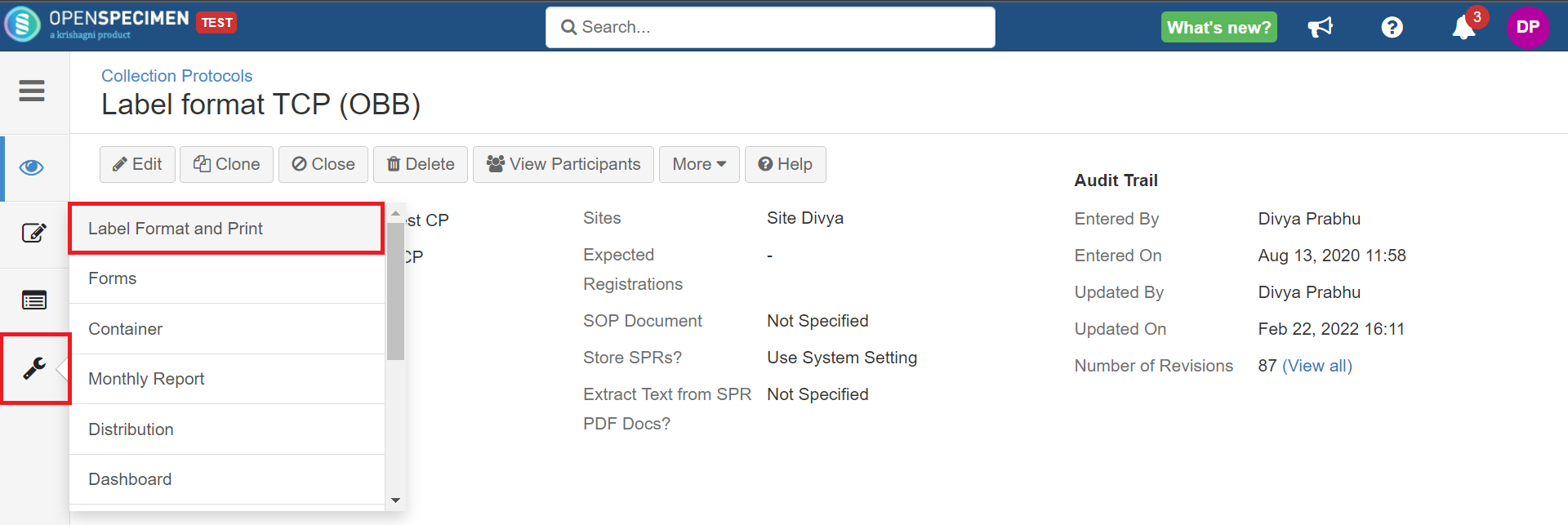
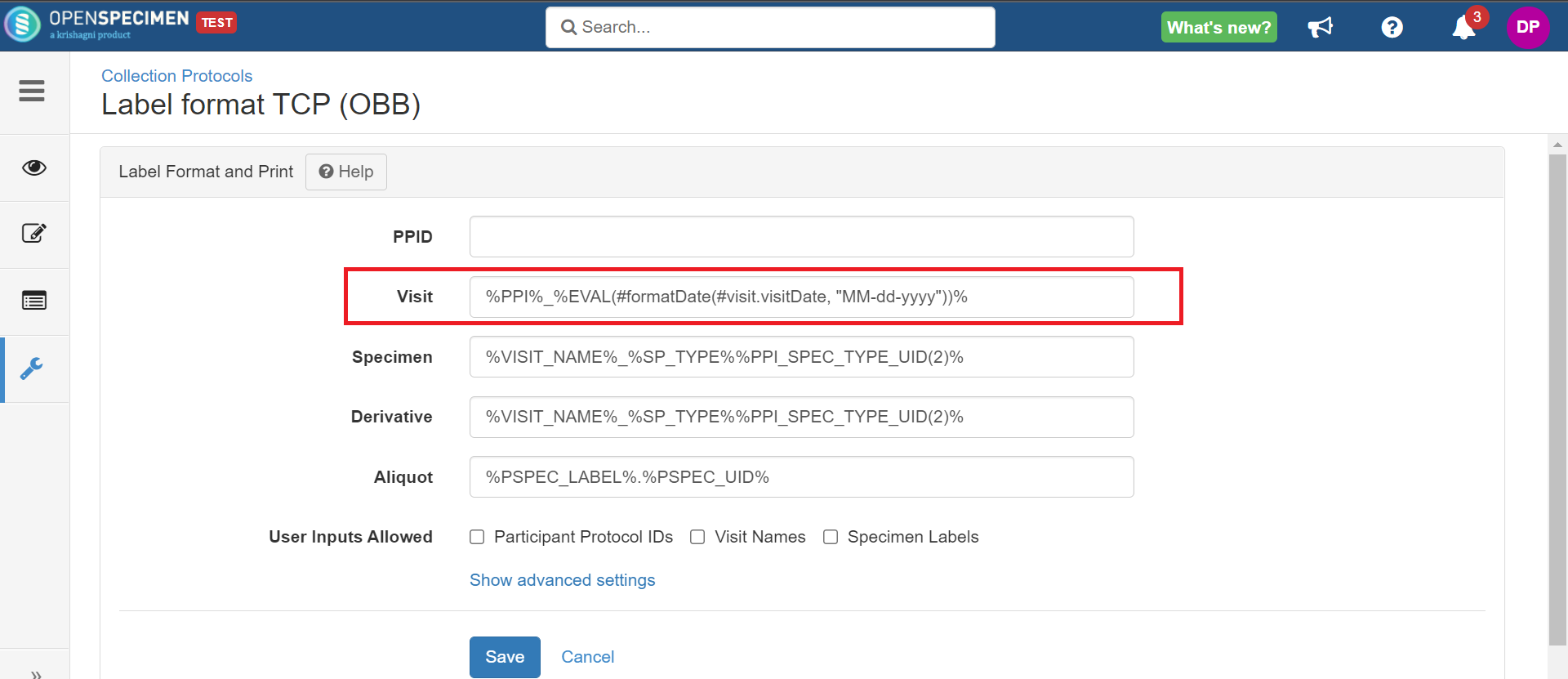
EVENT_LABEL | Event label as specified in collection protocol | e.g., If the visit name format is '%PPI%_%EVENT_LABEL%.%EVENT_UID(2)%', visit name generated will be '00011_Visit-01.01', where '00011' is the PPI, 'Visit-01' is the event label, and '01' is the unique identifier.
|
EVENT_CODE | Event code as specified in the collection protocol | e.g., If the label format is '%PPI%_%EVENT_CODE%_%SYS_UID%', label generated will be 'TT1-009_T01_39333', where 'T01' is the event code set while creating events, 'TT1-009' is the PPI, and '39333'' is the unique sequence number related to a specific PPI.
|
EVENT_UID(n) | Assigns a unique identifier that is unique to an event for each PPID. The argument n is optional and specifies the number of digits in the generated identifier. No padding is done on the left side of the generated identifier when not specified.For example:%EVENT_UID% generates IDs like 1, 2, 3, 4, ...10,11 etc.%EVENT_UID(2)% generates IDs like 01, 02, 03, 04, ... 10, 11 etc. | e.g., If the visit name format is '%PPI%_%EVENT_LABEL%.%EVENT_UID(2)%', visit name generated will be 'PW-0001_Visit-01.02', where 'PW-0001' is the PPI, 'Visit-01' is the event label and '02' is the unique identifier.
|
PPI | Participant protocol ID | e.g., If the visit name format is '%PPI%_%EVENT_LABEL%.%EVENT_UID(2)%', visit name generated will be 'PW-0001_Visit-01.03', where 'PW-0001' is the PPI, 'Visit-01' is the event label, and '03' is the unique identifier.
|
SYS_UID(n) | The unique identifier generated by the system across all events and participants. (n): Optionally specify the number of digits. For example, if (2) is used, then the numbers generated will be 01, 02, 03, etc. | e.g., If the visit name format is 'PW_%EVENT_LABEL%_%SYS_UID(2)%', the visiting name generated will be 'PW_Visit-01_49', where 'Visit-01' is the event label and '49' is the unique identifier generated by the system
|
YR_OF_VISIT | Year of visit (four digits) | e.g., If the visit name format is '%PPI%-%YR_OF_VISIT%-%EVENT_LABEL%.%EVENT_UID(2)%', the visit name generated will be 'KP-010012-2017-Visit-01.01', where 'KP-010012' is the PPI, '2017' year of visit, 'Visit-01' is the event label, and '01' is the unique event identifier.
|
YR_OF_VISIT2 | Year of visit (two digits) | e.g., If the visit name format is '%PPI%-%YR_OF_VISIT2%-%EVENT_LABEL%.%EVENT_UID(2)%', the visit name generated will be 'KP-010012-17-Visit-01.04' where 'KP-010012' is the PPI, '17' is the two digits year of collection, 'Visit-01' is the event label, and '04' is the unique sequence identifier.
|
CLINICAL_STATUS | Clinical status | e.g., If the visit name format is '%PPI%-%YR_OF_VISIT2%-%EVENT_LABEL%.%EVENT_UID(2)%%CLINICAL_STATUS%', the visit name generated will be 'KP-010013-17-Visit-01.01Follow-up', where 'KP-010013' is the PPI, 17' is the two digits year of collection, 'Visit-01' is the event label, '01' is the unique sequence identifier, and 'Follow-up' is the clinical status of the visit
|
CLINICAL_STATUS_ABBR | Abbreviation for the clinical status. How to set abbreviations? | e.g., If the visit name format is '%PPI%-%YR_OF_VISIT2%-%EVENT_LABEL%.%EVENT_UID(2)%_%CLINICAL_STATUS_ABBR
%', the visit name generated will be 'KP-010013-17-Visit-01.01_F', where 'KP-010013' is the PPI, 17' is the two digits year of collection, 'Visit-01' is the event label, '01' is the unique sequence identifier and 'F' is the abbreviation set for 'Follow-up.' clinical status
|
SITE_CODE | System configured code for the visit site | e.g., if the visit name format is %PPI%-%SITE_CODE%-%EVENT_UID(2)%, the generated visit name will be KP-010013-KH-01 where 'KP-010013' is the PPID, KH is site code configured for the site 'Kailas Hospital,' and '01' is the unique event identifier.
|
CUSTOM_FIELD(level, fieldName) | Include the value of any custom field identified by "fieldName" at the specified level. The field name is the same as the attribute name that appears in the custom form designer. The allowed values of level for visit names are "visit," "CPR," and "cp". | e.g.- CUSTOM_FIELD(cp, piCode) will include the value of CP custom field "piCode"
- CUSTOM_FIELD(cpr, patientId) will include the value of registration custom field "patientId"
- CUSTOM_FIELD(visit, visitNum) will include the value of visit custom field "visitNum"
|
PPI_UID(n) | The unique identifier generated by the system across all visits of the participant within a CP. (n): Optionally specify the number of digits. For example, if (2) is used, then the numbers generated will be 01, 02, 03, etc. | e.g., If the visit name format is '%PPI%.V.%PPI_UID(2)%', the names generated will be 'PW.0001.V.01', 'PW.0001.V.02', 'PW.0001.V.03' for the participant PW.0001 |
PUID(n)
| The unique identifier generated by the system across all visits of the participant registered in multiple CPs. The participant will be registered with the same MRN in all protocols where it is registered, and all CPs will use the same visit token format (n): Optionally specify the number of digits. For example, if (2) is used, then the numbers generated will be 01, 02, 03, etc.
| e.g., If the visit name format is '%PPI%.V.%PUID(1)%', the names generated will be as shown below.
|
Collection Protocol | PPID | Visit |
|---|
CP1 | 1.83994 | |
CP2 | 1.83994 | |
CP3 | 1.83994 | |