Got feedback or spotted a mistake?
Leave a comment at the end of this page or email contact@krishagni.com
Add Roles to Existing Users
- Admin Admin (Unlicensed)
- Ankita Chavan
- Kruti Nandu (Unlicensed)
Owned by Admin Admin (Unlicensed)
Steps to Import CSV
- Log in as an admin user and go to the users' list page.
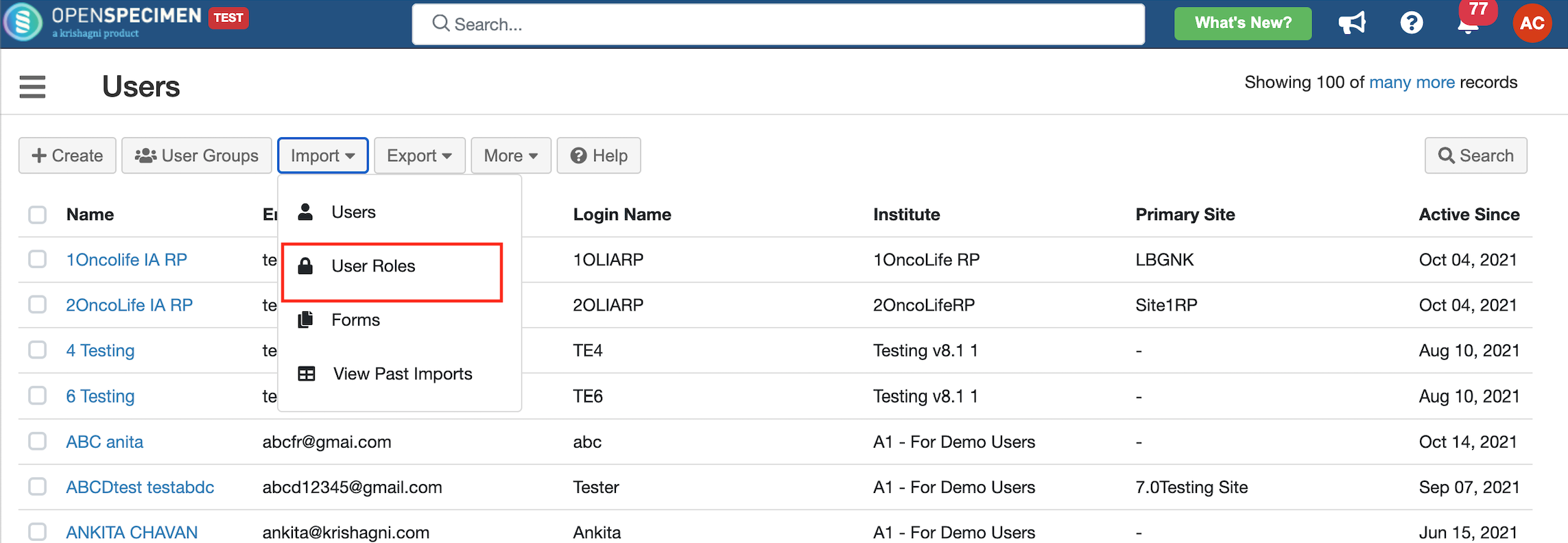
- Click on 'Import' button and select option 'User Roles'.
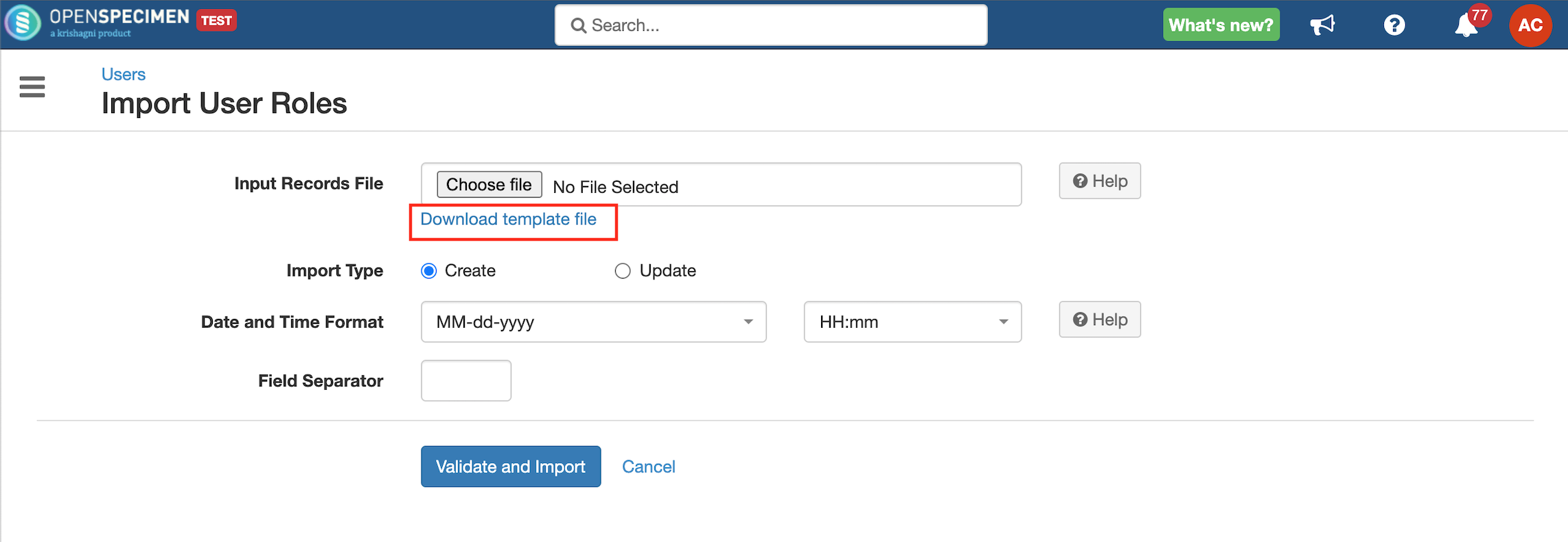
- Click on 'Download Template File' to download the template file.
- Enter all valid data in the template file as mentioned in the 'Data Dictionary' table below.
- Upload the filled template file in the 'Input Records File' field, select 'Import Type' as 'Create' to add or 'Update' to update user roles.
- Click on the 'Validate and Import' button.
- Refer to 'Import status' to check the status of the import job.
Sample CSV
Data Dictionary
Column Name | Datatype | Mandatory? (Create) | Mandatory? (Update) | Description | Permissible Values | Validations |
|---|---|---|---|---|---|---|
| Identifier | Number | No | Yes | System auto-generated unique number for every user. | Mandatory while updating roles if the Email Id column is blank. | |
| Email Address | String | Yes | Yes | Email address of the user to which role has to be added. | ||
| Role#1#Name | String | Yes | No | A role that is to be assigned to the user. |
| |
| Role#1#Site Name | String | Yes | No | The site to which the role is applicable. | Enter a valid site name or leave blank to set for "All Current and Future". Add an extra column for the user role on multiple sites. E.g. Role#2#Site Name, Role#3#Site Name, etc. You can add "All Current and Future" to update all sites. | |
| Role#1#CP Short Title | String | Yes | No | Collection protocol to which the role is applicable. | Enter a valid collection protocol name or leave blank to set for "All Current and Future". Add an extra column for the user role on multiple CPs. E.g. Role#2#CP Short Title, Role#3#CP Short Title, etc. You can add "All Current and Future" to update all sites. |
Got feedback or spotted a mistake?
Leave a comment at the end of this page or email contact@krishagni.com